If you’re running a Shopify store, you might wonder whether a redesign is worth the investment. A well-executed Shopify store redesign can significantly enhance the user experience, increase conversions, and drive revenue growth. In this article, we’ll explore real case studies, measurable results, and actionable insights to help you understand the potential impact of a redesign.
Why Consider a Shopify Store Redesign?
A Shopify redesign isn’t just about visual upgrades it focuses on performance, usability, and conversion optimization. Many store owners struggle with declining sales not because of their products, but due to poor site structure, slow speed, or confusing navigation, which is a common mistake among Shopify stores when they are built quickly without long-term planning.
Another reason businesses invest in redesigns is clarity around platform strengths. When comparing Shopify vs WordPress , Shopify’s advantage lies in its built-in eCommerce stability, which performs best when paired with a thoughtful UX design that guides users smoothly from product discovery to checkout.
Common reasons businesses choose to redesign include:
-
- Outdated or cluttered layouts
- Poor mobile responsiveness
- Low conversion rates despite healthy traffic
- Slow page load speeds
- Difficulty scaling with apps and integrations
A strategic redesign addresses these challenges and prepares your store for sustainable growth.
Real Shopify Store Redesign Case Studies
Here are some real-life examples demonstrating the impact of a professional Shopify store redesign:
Case Study 1: Apparel Brand Boosts Conversions by 39%
Problem: The brand’s store was visually outdated and mobile-unfriendly.
Solution: A full Shopify redesign with a responsive layout, simplified navigation, and improved checkout.
Result:
- Conversion rate increased from 1.8% → 2.5%
- Mobile bounce rate dropped by 22%
- Average order value grew by 15%
Case Study 2: Electronics Store Sees 50% More Sales
Problem: Slow-loading pages and a cluttered product catalog.
Solution: Optimized website speed, redesigned product pages, and simplified the checkout process.
Result:
- Overall sales increased by 50% within 3 months
- Page load time reduced by 40%
- Customer satisfaction improved due to easier navigation
Case Study 3: Beauty Brand Improves User Engagement
Problem: The brand had strong products but low repeat customer engagement.
Solution: Redesigned the homepage with personalized product recommendations and added loyalty features.
Result:
- Repeat customer rate increased by 30%
- Email sign-ups doubled
- Average session duration increased by 25%
Key Benefits of a Shopify Store Redesign
- Enhanced User Experience (UX)
A modern, UX design ensures smooth navigation and faster load times, improving user satisfaction. - Increased Conversion Rates
Simplifying checkout, improving product pages, and strategic placement of CTAs lead to higher sales. - Better Mobile Optimization
With a large share of e-commerce traffic coming from mobile, a mobile-friendly design is essential for conversions. - Stronger Brand Image
A clean, professional design builds trust and encourages repeat purchases. - Improved SEO Performance
Optimized page speed, structure, and content help your store rank higher in search engines. An SEO team can also check your URLs and metadata before launch, so you don’t lose existing rankings.
How to Ensure a Successful Shopify Redesign
- Analyze current performance metrics before making changes
- Prioritize mobile-first design
- Focus on speed and functionality
- Use data-driven design decisions backed by analytics
- Test changes incrementally to measure impact
Purane Shopify store ko redesign karein ya naya banwayein?
Redesign your Shopify store if your products and brand are working, but the design is slow, outdated or hard to use. Rebuild only when the structure itself is broken, or you need a major platform change.
Check three things first: your traffic, your conversion rate and your mobile experience. If traffic is healthy but sales are low, a redesign is usually the better first step. Not sure which one fits? Explore our Shopify store services.
Conclusion
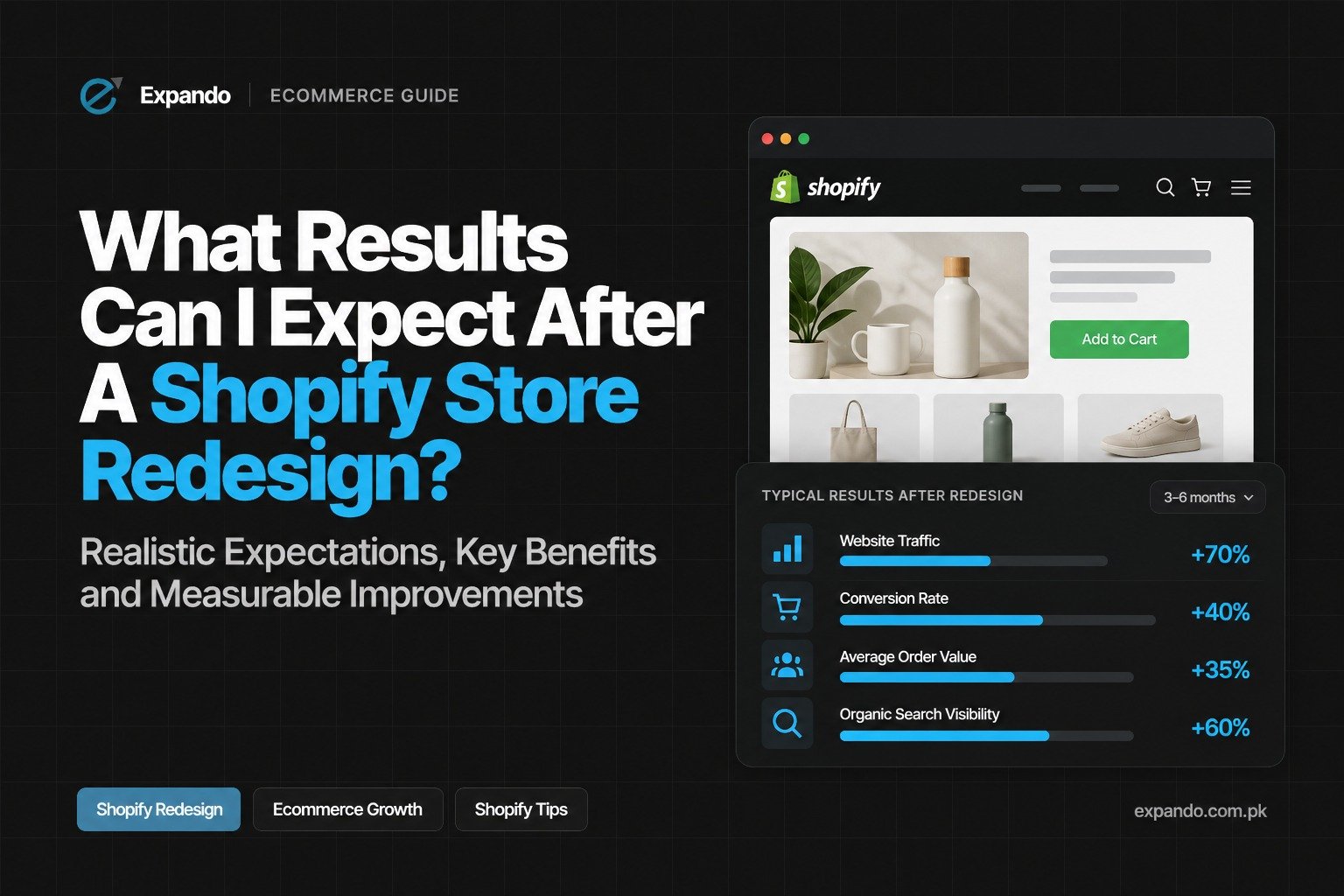
A Shopify store redesign can deliver measurable results, from higher conversions and sales to better user experience and engagement. These case studies show that investing in a redesign isn’t just cosmetic; it’s a strategic move for growth.
If your store is underperforming or outdated, a professional Shopify redesign could be the turning point for your business.
Next Steps
- Evaluate your store’s current UX and performance metrics
- Talk to a Shopify development agency to explore redesign options
- Plan redesign updates focusing on mobile, speed, and conversion optimization
Want a second opinion on your store? Talk to our team.
Frequently Asked Questions
1. How to make a Shopify store look better?
You can improve your Shopify store by using a clean, mobile-friendly design, high-quality product images, simple navigation, and clear calls to action. Optimizing page speed, product descriptions, and checkout functionality can also improve user experience and conversions.
2. Will a redesign affect my SEO?
A Shopify store redesign can improve SEO by improving site speed, mobile usability, and content structure. To protect rankings, preserve important URLs, maintain redirects, and optimize metadata, internal links, and existing content.
3. How much does a Shopify redesign cost?
The cost of a Shopify redesign depends on the store’s complexity, design requirements, custom features, and integrations. A clear project scope and budget can help businesses prioritize improvements that deliver the best return on investment.
4. Is Shopify still worth it in 2026?
Yes, Shopify remains a strong option in 2026 for businesses that want to build and manage an online store without handling all the technical infrastructure themselves. Its suitability depends on your budget, required features, payment options, and long-term business goals.