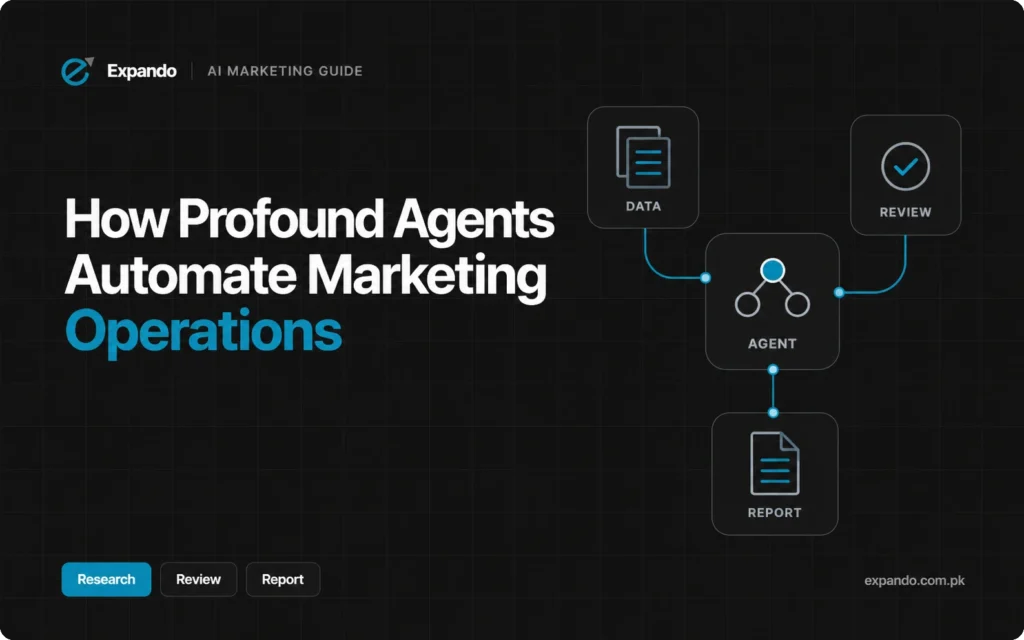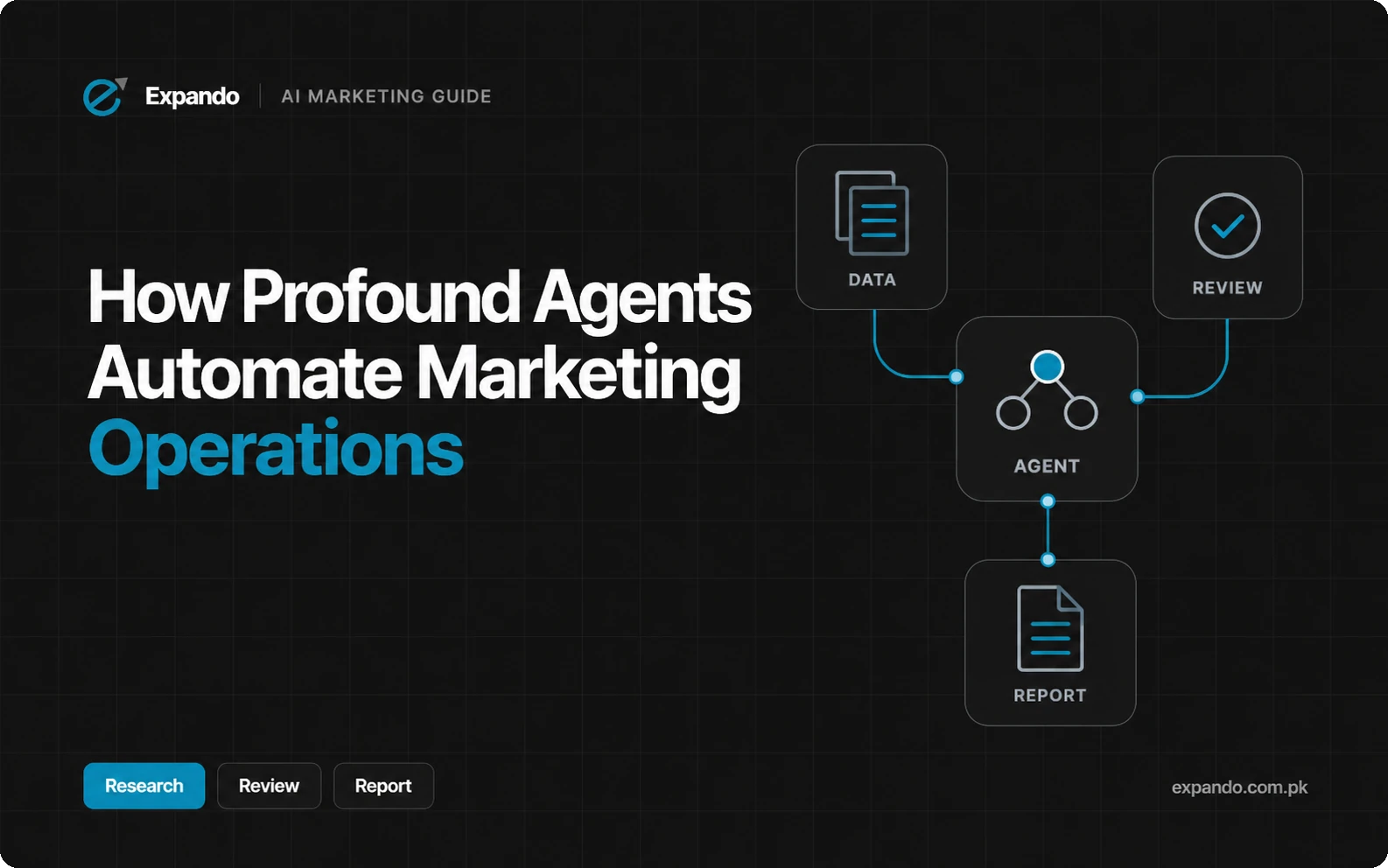
Profound Agents can turn AI-search data and approved business context into recurring research, content briefs, refresh drafts and reports. You configure the task, tools, inputs and destination, then review the output against its sources and your team’s requirements. Publishing or distributing the result depends on the appropriate connection and permissions, so a useful first automation is a reviewed report or content draft with a clear owner.
What are Profound Agents and how do they work?
Profound is the platform at tryprofound.com. Its current Agents handle recurring marketing tasks, while AI Marketer, or Aim, is the conversational teammate that analyzes data and helps create and execute work. Aim can use the organizational context supplied to Profound, such as approved business information.
Workflows are explicitly arranged, node-based automations. An Agent can invoke a Workflow when part of a task needs a defined sequence; older pages may call these “Workflow Agents.” This distinction matters when adapting a template or checking execution support.
AI visibility describes your brand’s presence within the AI-answer scope being measured; citations are the sources those answers reference. Answer engine optimization (AEO) means improving content and related information for discovery and use in those answers.
Agent Analytics is a separate product area for examining AI crawler activity and associated traffic insights; it is not the Agent that writes your report. A crawler visit and a human referral are different events.
Think of the operational chain as selected data plus approved context, instructions and tools, followed by an output and an accountable decision about its use. Define the decision before automating: who needs the work, what evidence will make it useful, and what action should follow?
Five marketing operations workflows Profound can support
The useful task is narrower than “automate marketing.” Choose one recurring job with identifiable inputs, an output people can inspect and a reviewer who can accept or reject recommendations. The following examples describe possible configurations, not results from an Expando implementation.
1. Summarize AI-search visibility and citation changes
Use the tracked topics, competitors, engines and comparison dates to prepare a change summary. Profound’s reporting article describes recurring AI-search updates that connect relevant data for the team. A practical output would list the measured changes, evidence links and questions to investigate, with the SEO or AEO owner checking coverage before sharing it.
Keep the measured prompt and engine set visible. If the set changes, an apparent movement may not be a like-for-like comparison. Ask the report to flag incomplete coverage and uncertain explanations rather than confidently assign a cause to every change.
2. Research competitors and frequently cited sources
Profound’s content-workflow overview describes competitive research based on sources answer engines cite. A team can use that evidence to investigate topics or formats that deserve attention. The expected output is a research note with source URLs and candidate actions; a strategist should judge relevance, factual quality and whether the comparison matches the brand’s market.
A citation is a lead for analysis, not an instruction to copy a competitor. Open the source, check its date and identify the actual information gap before commissioning content or outreach.
3. Produce content research and briefs
The same overview describes content production informed by category research. For a controlled brief, supply the target question, audience, approved claims, source requirements and page boundary. Ask for the evidence supporting each proposed section, then have an editor decide whether the brief serves a distinct reader need.
The reviewer should remove unsupported product statements, duplicate pages and generic sections. If a fact is missing, the output should name the information needed rather than fill the gap with a plausible claim.
4. Draft content refreshes and relevant FAQs
Profound’s AEO Content Refresh template describes analyzing a page and proposing or applying changes; its FAQ template uses article intent and search research to generate questions. Treat those outputs as editorial drafts until someone verifies the answers and their fit with the existing page.
Give the process approved source material and the current article. Ask it to explain the reason for each change and retain useful information. A suggested FAQ should answer a distinct question, not restate a section to increase word count. Neither a template name nor a content score guarantees citations or rankings.
5. Assemble recurring reports and route the output
Profound describes reporting that combines AI-search observations with appropriate analytics or business context. A useful handoff pairs the summary with proposed work, an owner and evidence, rather than simply exporting metrics.
Distribution to another app requires the corresponding tools and access; inspect the actual action available in your account.
Separate visibility and sentiment from bot requests, human visits, conversions and revenue. If the report cannot link a recommendation to business results, state that limit. A rise in mentions does not by itself demonstrate a sale or an incremental return.
Capability matrix: where Profound fits in your marketing stack
Use this matrix to scope the work before connecting accounts. “Documented role” means the cited source describes the function; it does not establish that every account has the same tools or that every possible action is available. Check the specific connection and destination before committing to a production workflow.
|
Task |
Profound role |
Data / tool |
Owner |
Limit |
Source |
|
Monitor |
Summarize changes |
Profound data |
AEO lead |
Measured scope |
|
|
Research |
Inspect cited sources |
Profound + web |
Strategist |
Verify relevance |
|
|
Briefs |
Draft research brief |
Approved context |
Editor |
Verify claims |
|
|
Refresh / FAQ |
Suggest content edits |
Page + template |
Editor |
No citation guarantee |
|
|
Reports |
Assemble / hand off |
Data + destination tool |
Ops lead |
Check action/access |
|
|
Email outreach |
Connected sending |
Gmail account |
Outreach owner |
Authorize recipients/send |
|
|
CRM / nurturing |
Proposed connected task |
CRM/lifecycle tool |
CRM owner |
Exact actions unverified |
The main distinction is between analyzing available data, producing an artifact and taking an external action. Profound’s tools documentation lists both analytics and customer-messaging connections, but each connected account determines what the Agent can do. A connector’s presence does not prove a complete customer lifecycle has been configured.
Set up a small pilot using the current Profound workflow
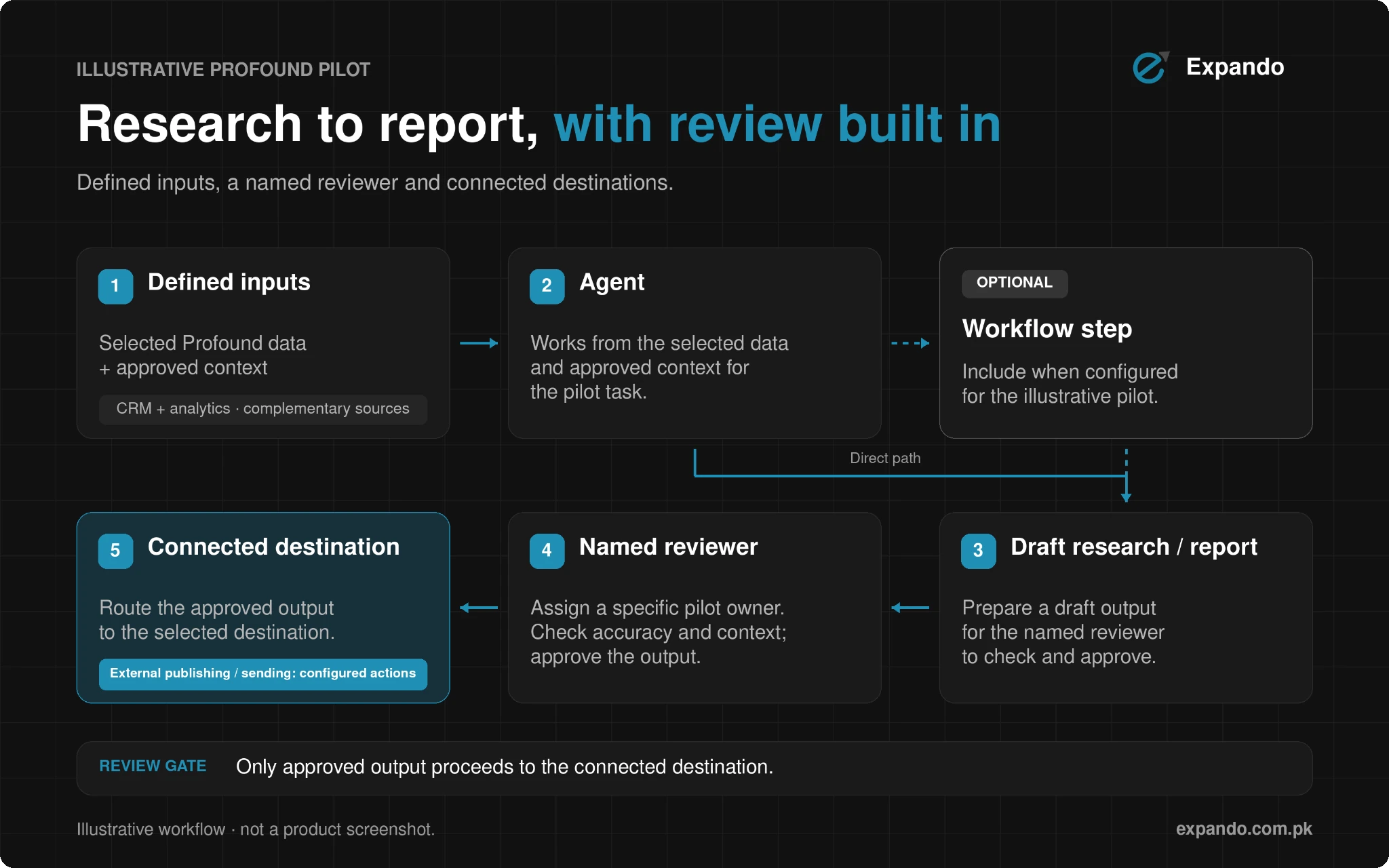
Start with an illustrative weekly AI-search summary for one topic and a stable market and engine scope. The schedule, report fields and review rules below are proposed team choices, not Profound defaults. This is a sample pilot specification, not a record of operating a Profound account.
Define the report before building it
Choose the category, tracked prompts, comparison windows and competitors. Supply approved brand context and explain what counts as an actionable finding. Pick one reviewer and save the output as a draft Profound Document; postpone distribution until that reviewer can trust the evidence and format.
Example task description: “Prepare a weekly draft summary for our selected category. Compare the agreed windows for the same prompt and engine scope, link the evidence for notable changes, flag missing coverage, and propose content tasks with an owner. Save the report as a Profound Document for review.”
Create, inspect and run
Profound’s getting-started guide describes creating an Agent through Aim, describing the job and destination, answering clarification questions, then running and refining it. Adapt a suitable template if available, and inspect its inputs, instructions, outputs, tools and context. Ask Aim to make the report format and evidence requirements explicit.
Before the first run, check which accounts are connected and whether actions can read, write or send.
Give the pilot only the access its task needs. If a reusable Workflow handles a fixed step, confirm that the people running the Agent also have access to it.
Run on demand, inspect the result and run history, then refine the instructions. Check that figures match the underlying view, source links work, dates align and recommendations follow from the evidence.
Once the manual run is acceptable, configure and enable the appropriate trigger; writing “every Monday” in instructions alone is not enough.
Use a report format that exposes uncertainty
A proposed report format is: scope and dates; coverage notes; metric changes with source links; cited pages to inspect; suggested tasks and owners; unresolved questions; and reviewer decision. These are illustrative field names, not a screenshot or a claim that a report already exists.
For each recommendation, ask “Which evidence supports this, what is uncertain, and who decides?” If a source cannot be read or the comparison is incomplete, record the gap. A useful report can conclude that there is insufficient evidence to act.
What still needs human judgment or another system?
People still own factual accuracy, brand claims, source selection and the decision to publish or contact someone. Content approval and Agent configuration are different: current docs say configuration changes apply immediately, while publishing behavior depends on the setup. Review the permissions rather than assuming every action always waits for manual approval.
Keep the CRM as the customer and pipeline record where that is its role. Decide which fields any automation may read or update, how duplicates are handled and how the team will recover from an incorrect change.
For a CMS handoff, confirm the actual publishing action and whether the workflow creates a draft or a live page. The tool documentation distinguishes Agent tools from Workflow integrations.
As checked on 2 November 2026, Sheets bulk runs and API/MCP execution apply to Workflows rather than the newer Agents; an Agent can invoke a Workflow but not another Agent.
Reasoning can also vary between runs, so specify required sources and format, and check the result. Reconfirm these limits as the product changes.
Evaluation should separate operational quality from marketing impact. Compare reviewer time, factual corrections, accepted recommendations, failures and operating cost against a manual baseline.
Track visibility and citations separately from qualified visits, conversions and revenue. Attribution helps connect records; it does not prove that a particular automated edit caused an improvement.
When is Profound a good fit?
Profound is worth evaluating when a team already has recurring AI-search, research, content or reporting work and enough reliable context to judge the output. The first task should be something a person can describe, check and use not an undefined instruction to improve the whole marketing operation.
For a team primarily seeking a basic email sequence or contact-management process, start by mapping the CRM or lifecycle platform’s responsibilities. Profound may contribute research or connected actions, but a workflow still needs ownership of customer status, permissions and business rules. For the broader architecture, see Expando’s AI marketing funnel automation guide.
Keep the pilot only if it reduces useful work without adding disproportionate review or correction. Choose the acceptance criteria before running it: for example, source-backed recommendations, stable reporting scope and a clear owner. There is no verified time-saving percentage or ROI promise attached to this example.
Start with one report your team can verify
Choose a small task, define its sources and output, assign a reviewer and evaluate the first runs before expanding distribution. Explore Expando’s AI-Powered Marketing service to map a practical automation workflow for your team, including appropriate data connections and review points.
Profound Agents Marketing Operations Ko Kaise Automate Kar Sakte Hain?
Profound Agents can use AI-search data and approved business context to support recurring research, content briefs, refresh drafts and reporting. Define the inputs, instructions, tools, output and reviewer, then test a small task such as a weekly AI-search summary. Publishing, email sending and other external actions depend on the configured connections and permissions, while people remain responsible for checking evidence and deciding how to use the output.
Frequently asked questions
Can Profound send emails or replace a CRM?
Profound’s Gmail integration explicitly documents sending email and publisher outreach from a connected account. That establishes a configured sending capability, not an automatically complete nurture or CRM system. Verify the exact customer-data and messaging actions you need, and retain a clear system of record and reviewer for outreach.
Why is my Profound Agent not running on schedule?
Check that the Agent is complete, the trigger is configured under Run triggers and the trigger switch is enabled. Mentioning a schedule only in the instructions does not activate it. For a Slack trigger, also check that Profound’s Slack app has joined the intended channel. Profound trigger troubleshooting.
Can I create or run Profound Agents through an API or MCP?
As checked on 4 November 2026, Profound’s FAQ says the newer Agents run within the Profound platform, while Workflows support its API and MCP. An Agent can use a Workflow as a step, but that does not establish direct API execution of the Agent itself. Recheck the current documentation before designing an integration. Profound API and Workflow guidance.
How can I pause an automated Profound Agent?
Turn off Run triggers in the Agent’s settings to pause its automatic triggers, then turn it back on when ready to resume. To stop a single trigger, remove that trigger from Run triggers. Profound notes that only the person who created a trigger can switch it. Profound trigger controls.