ChatGPT business profile optimization means keeping the information you contribute about your business accurate, useful and current. Eligible owners or authorized representatives start through OpenAI’s Business Hub and complete the required claim and identity checks before managing approved information. Availability depends on the business’s type, location and supported verification, so a Pakistani business should check its specific route first. Claiming a profile does not give you control over ChatGPT’s independent recommendations.
What is a ChatGPT business profile?
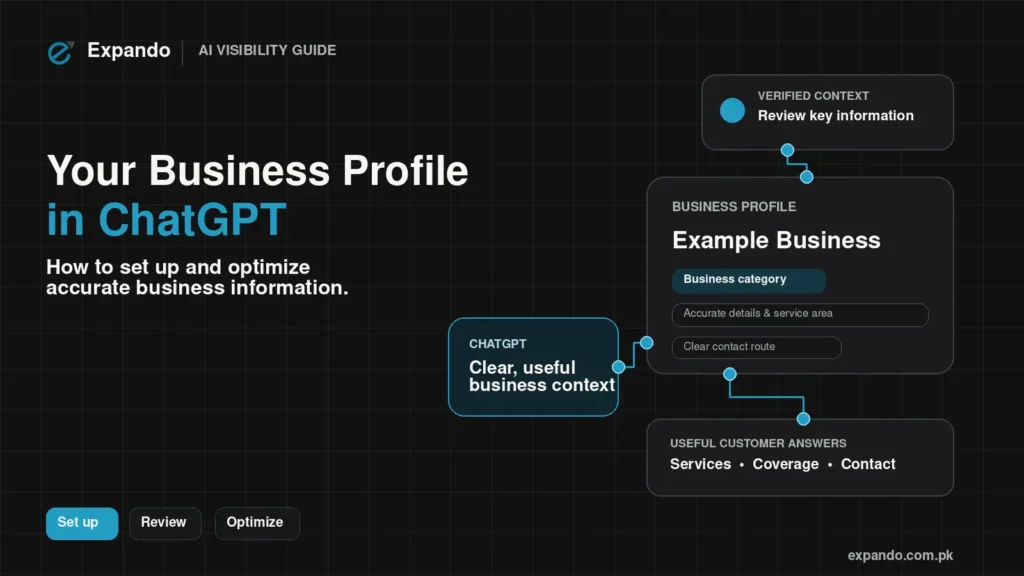
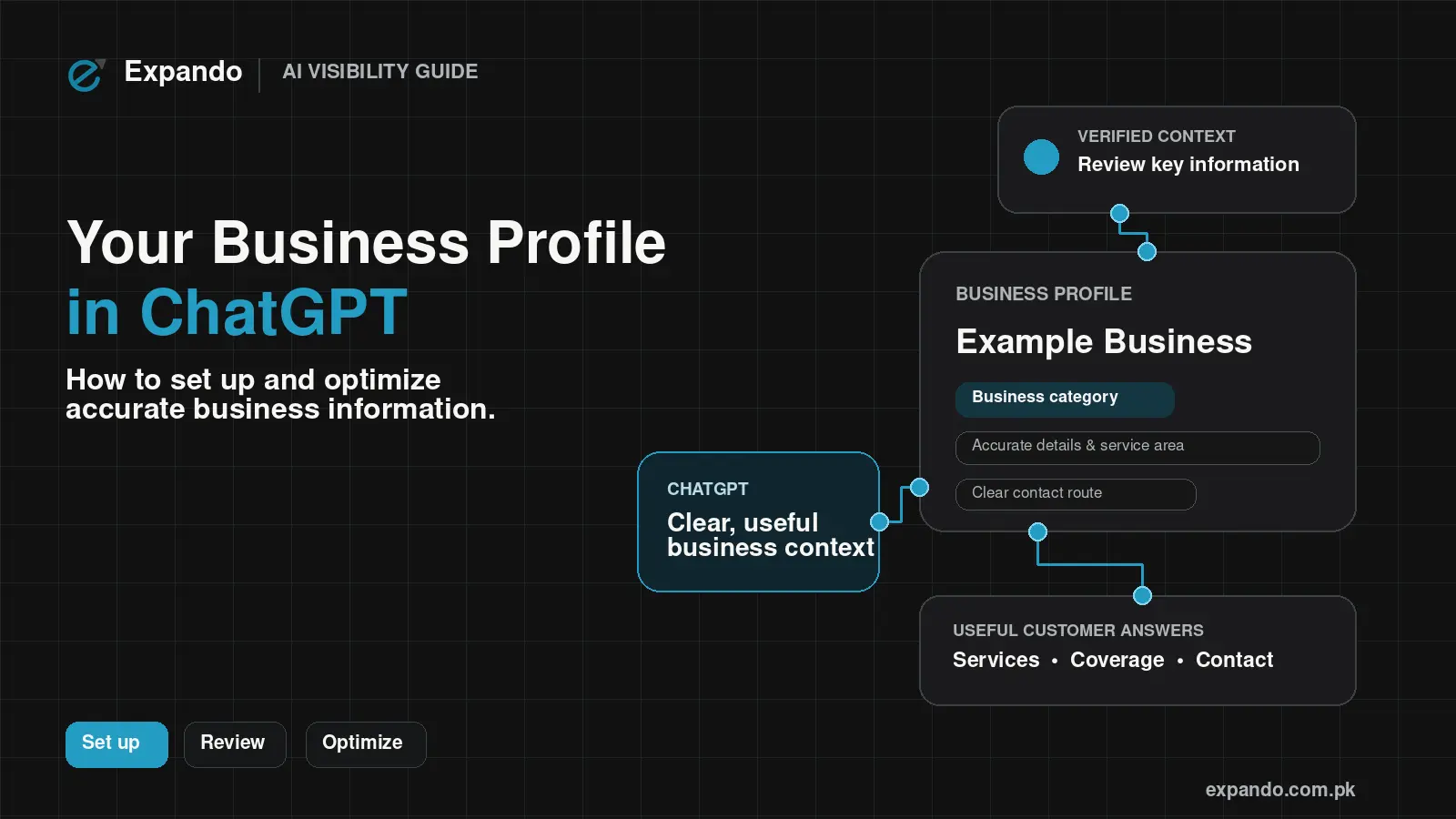
A business profile presents information about a business within ChatGPT. Business Hub is the place where eligible representatives can contribute details and access available engagement insights. OpenAI announced Businesses in ChatGPT on 10 November 2026, with profile information management and optional Business Agents serving different purposes.
A profile is distinct from the ChatGPT Business subscription used by teams. Do not assume buying a subscription grants your business profile eligibility. A Business Agent is also separate: it is an optional branded conversation using business-provided information, while ordinary ChatGPT answers remain independent.
Can a business in Pakistan claim a profile?
A Pakistan-based owner should check eligibility for the actual business rather than assume a global launch means universal local access. OpenAI says eligibility depends on location, business type and verification. Its current setup guide limits local stores and restaurants to claiming an existing US listing; eligible online businesses may have an add-business option. This does not establish that a Karachi shop or restaurant can create a local profile today.
First identify the business being represented: its operating location, industry, website and actual offering. Then check the route available for that entity in the Business Hub. The country where the owner happens to sign in is not a substitute for the business’s real location. OpenAI’s policies require truthful ownership and business information.
For example, a hypothetical Karachi retailer should prepare its real store and website details, then check current support. It should not enter a US address it does not operate from. An online business should likewise use its genuine registration and website information; Shopify is one possible setup route, not a universal requirement.
If the relevant route is unavailable, keep a record of the limitation and continue maintaining the website and customer-facing information you already control. Recheck official availability before paying anyone for a promised approval. An agency can help organize information, but cannot make an ineligible business eligible.
How to set up and verify your business
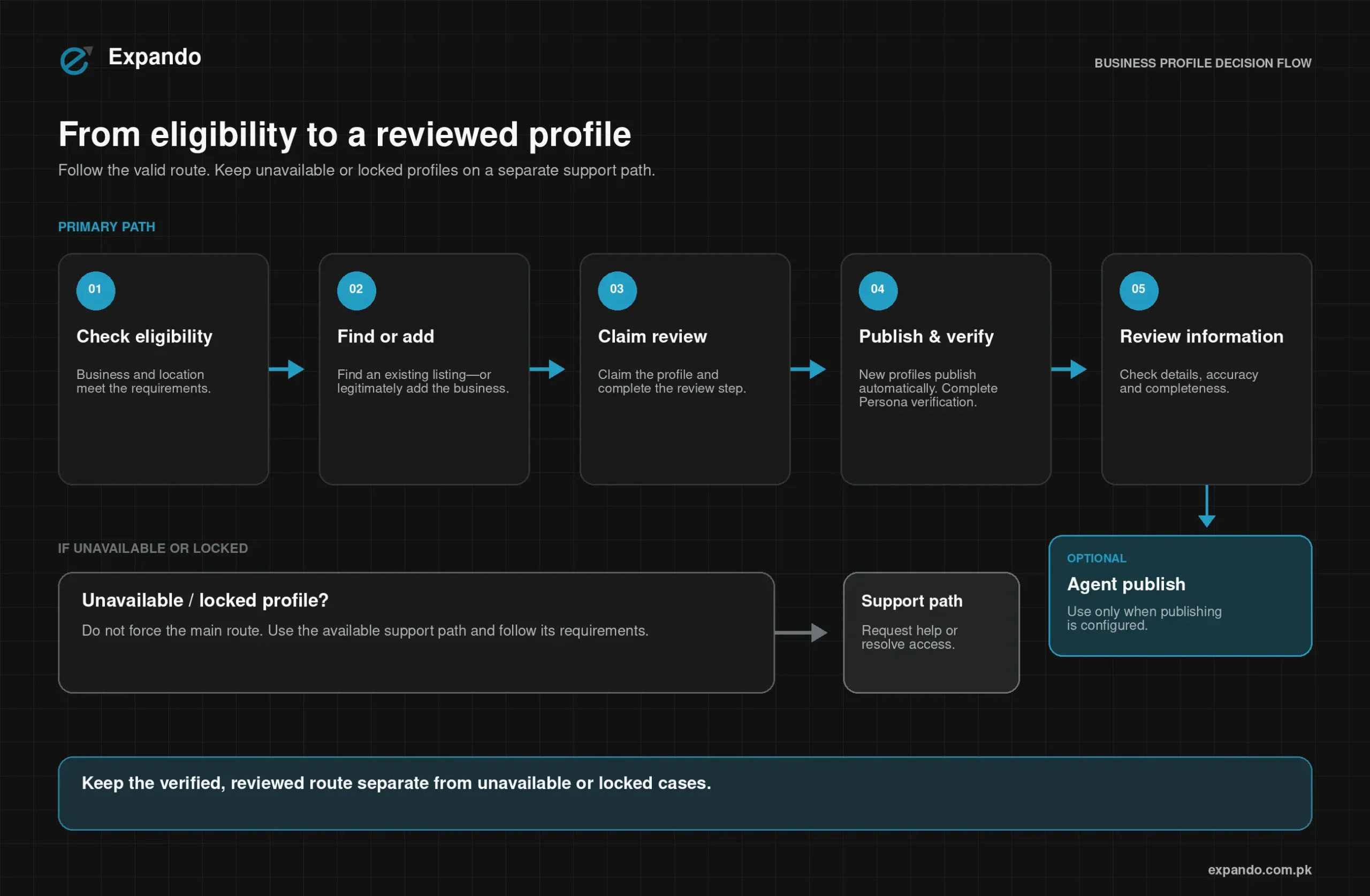
Use the official Business Hub route for the business you are authorized to represent. Prepare access to the relevant business contact or website account and accurate supporting records. Keep claiming, identity approval and optional agent publication as separate stages; use OpenAI’s current setup guide alongside the process below.
1. Find the correct business
Open Business Hub in ChatGPT, find the matching business and confirm the managing account. Use an offered add option only if the business qualifies. Check identity carefully before continuing; avoid creating a duplicate to bypass an access issue.
2. Complete the offered claim method
Follow the phone, business-email, domain or Shopify route actually offered. For domain verification, give the displayed DNS instructions to the person managing your domain. Check any account permissions before connecting a store.
3. Wait for the claim decision
OpenAI emails its decision or requests more information. Claim approval and Persona approval are separate. While review is pending, follow the official instructions rather than repeatedly submitting a new claim.
4. Understand publication before Persona verification
Persona approval is required for publishing information changes, feeds and insights. For a newly created profile using Persona, approval automatically publishes the profile; continue only when ready. Optional Business Agent publication remains a separate action.
5. Review information and access
After approval, review the business information and the people authorized to manage it. Use each teammate’s own account and the access options available. Keep the owner responsible for the information submitted.
If access is locked, use the displayed support route. For an already-claimed business, follow the documented ownership-dispute process. Prepare the exact step, error and a redacted screenshot for support; do not create misleading replacement identities.
How to optimize the information you provide
Improve clarity and accuracy before adding promotional language. The table combines documented profile fields with editorial checks for the owner; it does not describe a ranking formula. Use the controls available to your approved business, and confirm the actual item, service or policy behind every statement.
| Information to review | Practical improvement (editorial advice) | What to verify |
| Website | Use the official, working destination | Ownership; current pages; functioning contact route |
| Description | Explain actual offering, audience and genuine coverage | Owner-approved facts; no unsupported guarantees |
| Category | Choose the relevant available category | Matches actual products/services |
| Logo | Use the business’s recognizable current logo | Permission and accurate identity |
| Cover photo | Show a representative image | Rights; relevance; no misleading premises |
| Delivery / return policies | Use applicable, current terms; do not invent retail terms for services | Matches website and actual operations |
OpenAI’s business policy requires accurate identity, service area, hours, contact and offerings, and prohibits misleading guarantees or fabricated endorsements. Its imagery rules also require the rights or permission to use the material. Treat the website, profile and operating records as a coordinated information set.
A useful hypothetical description might read: “[Business name] provides [actual service] for [customer type] in [genuine service area]. Customers can [verified enquiry or ordering process] through [official website]. [Relevant availability or policy detail, confirmed by the owner].” Replace every placeholder before publishing.
For a hypothetical Karachi repair business, that could describe the actual repairs and areas covered without claiming a branch in every neighbourhood. For an ecommerce seller, state what is sold and where the confirmed delivery policy applies. Keep unsupported “best,” guaranteed outcomes and repetitive keyword lists out of the description.
Ask someone unfamiliar with the business to read the draft. Can they understand the offer, who it serves, where it operates and how to take the next step? If an answer requires guessing, improve the underlying information. Do not invent image dimensions, character limits or services merely to make the profile look complete.
How your website and wider business information support discoverability
Maintain a website that explains your real services or products, locations or coverage, contact routes and relevant policies. Keep information consistent where it is repeated on business listings or credible third-party sources. These are information-quality practices; they are not a disclosed formula for being recommended by ChatGPT.
Review service pages for outdated offers, broken links and vague coverage. Replace unsupported claims with useful facts and evidence you can stand behind. For example, a delivery policy should say what the business actually fulfils, and a service page should not imply an office that does not exist. Genuine reviews and credible mentions should reflect real experiences rather than invented endorsements.
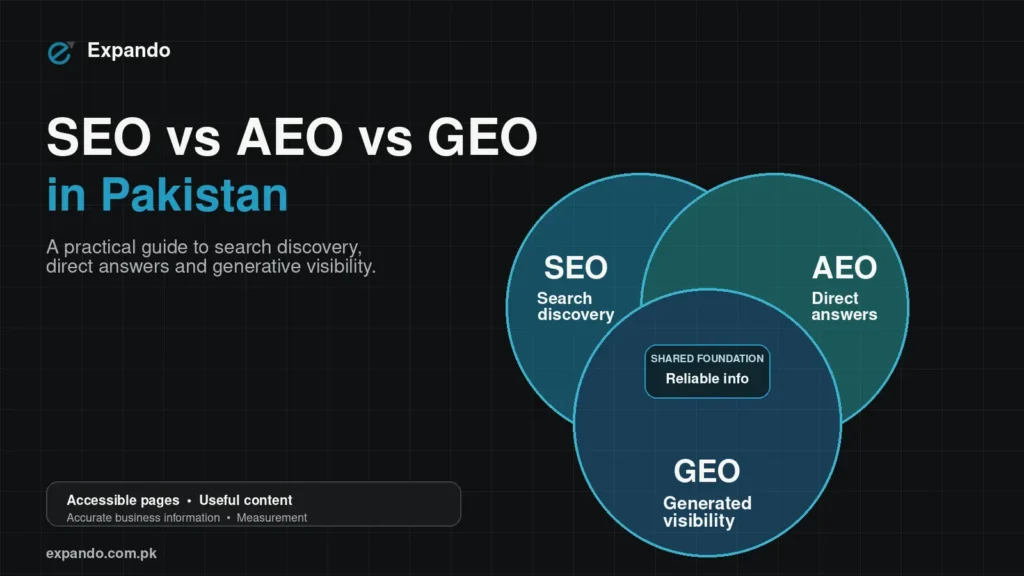
GEO means generative engine optimization: work intended to help generative answer systems discover and represent information accurately. In this guide, practical GEO work starts with accessible facts, useful pages and clear business identity. It should not be sold as a way to force ChatGPT to favour a business.
OpenAI distinguishes OAI-SearchBot, used for search, from GPTBot, used for content that may inform model training. Their permissions are independent, so allowing training is not a prerequisite for allowing search access. Have your web administrator review robots.txt and access controls against the official crawler documentation. Search access does not guarantee selection or placement.
Do not treat an llms.txt file, a map embed or FAQ markup as a guaranteed recommendation route. Choose technical changes because they serve a verified access or information need, and test their effect without promising a particular answer. Keep a change log so an improvement in enquiries is not automatically attributed to one edit.
Does this replace Google Business Profile?
No. Treat ChatGPT business information and Google Business Profile as separate presences with their own eligibility and management processes. Maintain each where it applies to your business, and check details after any material change. This guide does not assume that edits, reviews, ownership or verification automatically synchronize between them.
Use one internal master record to reduce conflicting names, contact details and policies, while following each platform’s own rules. The person managing a ChatGPT profile should know when operations or website information changes, rather than discover it through a customer complaint.
How to measure results and keep the profile accurate
Measure available platform activity, website engagement and qualified enquiries as distinct stages. OpenAI’s setup guide describes aggregate insights over the past 28 days; discovery topics are themes, not individual user prompts. Blank metrics need not mean zero activity. Use the official definitions when interpreting the report.
Keep a simple enquiry log showing date, source where known, requested product/service, qualification and outcome. If a customer clicks through to the website and later calls, connect those records where feasible without assuming every unassigned enquiry came from ChatGPT. A mention is not a sale, and a website click is not a qualified lead.
Use this editorial maintenance routine: assign an accountable owner; recheck material business changes promptly; reconcile the profile with the website; inspect available insights on a consistent schedule; test contact and ordering links; and record actual enquiry outcomes. Choose a review interval your team can sustain rather than treating a publishing frequency as a ranking requirement.
Record what changed and when, including policies, service coverage and website updates. Compare periods cautiously during a beta, when reporting and availability may change. Investigate unusual movements before treating them as proof that an optimization caused extra revenue.
What about Business Agents and product feeds?
Retailers can contribute product feeds to share product details, pricing and availability. Business Agents have separate eligibility: the current overview describes eligible ecommerce and online service businesses in the US. A business can appear in independent ChatGPT answers without publishing an agent.
An agent represents the business and must accurately describe its approved role, information and capabilities. Verification alone does not establish agent eligibility. If that option applies, use OpenAI’s agent policy and current setup instructions; a Pakistan-based owner should not infer agent access from profile access.
Start with accurate information and the right access route
Check the current eligibility route for your actual business, prepare accurate information and assign someone to maintain it. Even if profile access is unavailable, improving the website and customer-facing facts remains useful. Explore Expando’s SEO and AI-search visibility services, or contact the team to discuss your business-information and enquiry-tracking priorities.
ChatGPT par business ki profile ko acha kaise banayein?
Where profile access is available and the business is eligible, start with OpenAI’s official claiming and verification process. Improve the profile with accurate business details, a clear description, current policies, and a working website, then maintain the same material facts across relevant sources. If access is unavailable, improve those public facts while checking the official eligibility route. Profile updates do not guarantee a recommendation, website visit, or sale.
Frequently asked questions
Does claiming a profile guarantee ChatGPT will recommend my business?
No. Claiming lets an eligible business contribute and maintain information; it does not guarantee higher placement, recommendations or sales. Accurate information is worth maintaining, but independent ChatGPT answers remain independent.
Why have my updated details not appeared yet?
Submitted updates may need review and may not immediately appear everywhere ChatGPT discusses the business. Check the status and compare the submitted facts with the website and other relevant sources. If the account shows an unresolved issue, use official support rather than assuming another edit will force the change.
Can an agency manage the profile for me?
Only the owner or an authorized representative should manage a business. Use Business Hub’s available access controls and individual accounts, and have the owner approve the information and scope of work. An agency’s help does not guarantee verification or control over independent answers.
Do I need to run ads or publish a Business Agent to claim my business?
No. OpenAI’s setup guidance treats claiming a business, publishing an agent, and advertising as separate activities. After claim approval and Persona verification, an eligible business can manage its information and use available insights without publishing an agent or running ads. Business Agent availability has separate requirements.