Deciding whether to redesign your existing website or start from scratch with a new website is one of the most critical decisions for your business. Both options have unique advantages, and choosing the right approach depends on your goals, budget, current site performance, and future growth plans.This guide uses a 2026 website redesign checklist approach to help you make a data-driven choice.
1. Why This Decision Matters
Your website is the digital face of your business. Making the wrong choice can lead to:
- Wasted investment on unnecessary development
- Poor user experience and engagement
- Lower search engine rankings
- Missed growth and revenue opportunities
Expert tip: According to HubSpot, 94% of first impressions relate to design. Choosing the right approach ensures your site not only looks good but performs optimally.
2. What Is a Website Redesign?
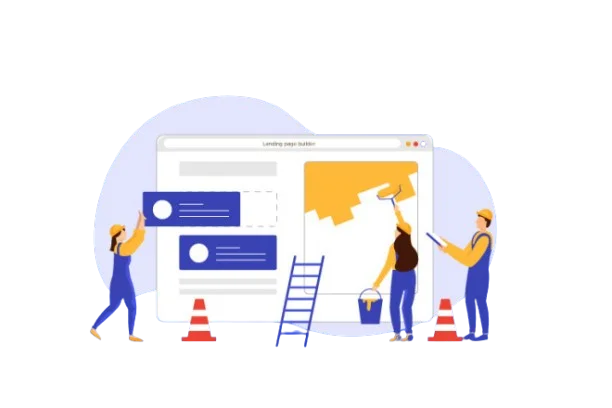
A website redesign involves updating your existing site while keeping its core structure, content, and domain. It focuses on improving the look, performance, and functionality without completely starting over, and is a key part of professional website development strategies for businesses.
Common updates in a redesign include:
- Modernizing visual design and layout
- Improving site speed and performance
- Optimizing for mobile devices
- Updating SEO and content strategy
When to consider a redesign:
- Your website looks outdated but still receives good traffic
- You want to enhance user experience without starting from scratch
- Your brand identity has evolved but the website structure is still solid
Pros of a redesign:
- Cost-effective compared to a full rebuild
- Retains existing SEO rankings
- Faster turnaround and less disruption
Cons:
- May not fix deep structural or technical issues
- Limited flexibility for adding new functionality
SEO Tip: If you hire professional website redesign services, ensure they include a technical SEO audit to avoid losing rankings.
3. What Is a New Website?
A new website means starting completely from scratch. This is ideal when your current website has fundamental problems that cannot be fixed with a redesign.
When to consider a new website:
- Your website’s technology is outdated or unsupported
- SEO and site structure are poor
- You want a completely new branding and functionality
- Current site performance is holding back growth
Pros of a new website:
- Complete creative freedom
- Can implement the latest technologies and frameworks
- Optimized for SEO from the ground up
Cons:
- More time-consuming than a redesign
- SEO rankings may temporarily drop if migration is not handled carefully
Tip: Engage experienced website redesign services or web development agencies to ensure smooth Search Engine Optimization migration and faster ROI.
4. 2026 Website Redesign Checklist
Use this checklist to decide whether a redesign or a new website is the right choice:
| Factor | Questions to Ask |
| Site Performance | Is your current website fast and mobile-friendly? |
| SEO Health | Are you ranking well or losing traffic? |
| User Experience | Is navigation intuitive and engaging? |
| Brand Alignment | Does your site reflect your current brand identity? |
| Technology | Is your website outdated or difficult to update? |
| Content Strategy | Can you reuse existing content effectively? |
| Budget & Timeline | How much can you invest, and how quickly do you need results? |
| Future Goals | Do you need new features or functionality your current site can’t support? |
Decision guide:
- Mostly minor updates → Redesign
- Mostly major changes → New Website
5. Real-World Case Study Examples
Company X – Full New Website
- Existing site: outdated design, poor mobile experience
- Action: Hired professional website redesign services for a new build
- Result: 60% increase in traffic and 40% increase in conversions within 6 months (Source: BuiltWith Case Study)
Company Y – Website Redesign Only
- Existing site: good traffic but outdated visuals
- Action: Undertook a partial redesign and UI refresh
- Result: Improved user engagement, bounce rate decreased by 30%
Note: Real results vary by industry and strategy. Always evaluate your site metrics before deciding.
6. Key Takeaways
- Redesign if your site functions well but needs visual and functional updates
- New Website if your site is outdated, underperforming, or limiting growth
- Use the 2026 website redesign checklist to make a data-driven decision
- Plan for SEO, user experience, content strategy, and scalability
Extra Tip: A professional agency offering website redesign services can save time and prevent costly SEO mistakes during migration or updates.
7. Additional Resources
- Google Search Central – SEO for Websites
- UX & Usability Articles from Nielsen Norman Group – NN/G
- HubSpot – Website Redesign Guide
Final Thoughts
Choosing between a website redesign and a new website is a strategic decision that impacts your business growth. By carefully evaluating your site’s performance, technology, branding, and user experience with the 2026 website redesign checklist, you can ensure your online presence is modern, effective, and optimized for both users and search engines.
Frequently Asked Questions (FAQs)
1. How do I know if my website needs a redesign or a new website?
Check your site performance, user experience, branding alignment, SEO health, and technology. Use the 2026 website redesign checklist to guide your decision.
2. Will redesigning my website affect SEO?
If done correctly, a redesign should retain SEO rankings. Always include an SEO audit and proper redirects during any redesign or migration.
3. How long does a website redesign take?
Redesigns typically take 4–12 weeks, depending on the size of your site and complexity of changes.
4. Can I reuse my existing content in a new website?
Yes, but evaluate if it’s up-to-date, optimized for SEO, and aligns with your new branding and design.
5. What are the benefits of hiring professional website redesign services?
- Access to expertise in design, SEO, and UX
- Faster turnaround
- Reduced risk of technical errors or SEO loss
- Scalable solutions for future growth
6. Will my old website data be lost if I create a new website?
Not if you properly migrate content, databases, and analytics. Always work with a professional to ensure data integrity.